Paint 3D Online in 2026: Best Free Browser-Based 3D Tools Guide

Many users search for Paint 3D online because they want to use the software directly in a browser without downloading anything. Students using Chromebooks, Mac users, and people working on shared computers often look for a web-based version of Paint 3D. However, the reality is clear: Microsoft never launched an official browser version of Paint 3D. The application was designed specifically for Windows 10 and Windows 11 desktops and was discontinued in late 2024.
Even though there is no official Paint 3D online tool, several powerful browser-based 3D design platforms now offer similar and sometimes better features. These tools work on any device, require no installation, and are mostly free. In this structured guide, you will learn why Paint 3D does not have a web version, what alternatives are available, and which tool is best for your needs.
Why Paint 3D Does Not Have a Web Version
Paint 3D was developed as a native Windows application. It was built to work directly with Windows system graphics, drivers, and local storage. Because of this deep system integration, converting it into a cloud-based browser application would have required major redevelopment.
After discontinuing Paint 3D, Microsoft shifted focus toward improving other Windows creative tools. As a result, Chromebook users, Mac users, and people who cannot install software were left without a direct online option. This is why so many users now search for Paint 3D online alternatives.
Who Needs a Paint 3D Online in 2026 Alternative?
An online 3D design tool is useful if you:
- Use a Chromebook or Mac
- Work on school or office computers
- Cannot install software
- Prefer cloud-based storage
- Want access from multiple devices
For these users, browser-based 3D modeling tools are often more practical than desktop software.
Best Paint 3D Online Alternatives in 2026
Below are the top browser-based tools that work as strong replacements for Paint 3D.
Tinkercad Best Overall Alternative
Tinkercad is widely considered the closest alternative to Paint 3D online. Developed by Autodesk, this platform works entirely inside your browser.
Tinkercad is designed for beginners and educational users. Its drag-and-drop system allows you to create 3D models by combining basic shapes like cubes, cylinders, and spheres. The interface is clean, simple, and easy to understand.
One of its biggest advantages is automatic cloud saving. You can access your projects from any device simply by logging into your account. It also supports STL export, making it suitable for 3D printing.Tinkercad is completely free, which makes it an ideal starting point for beginners.
Vectary Best for Modern 3D Graphics
Vectary offers a more advanced browser-based 3D experience. It is suitable for users who want professional-quality graphics without installing heavy desktop software.
The platform includes real-time rendering, collaboration tools, and AR preview features. Its interface feels modern and polished, making it a good option for web designers and marketers.
Although Vectary has premium plans, the free version provides enough features for most beginners and intermediate users.
SculptGL Best for Artistic Sculpting
Sculpt GL is ideal for users who enjoy creative and organic modeling. Unlike structured design tools, Sculpt GL allows you to sculpt digital objects like clay directly in your browser.
The tool requires no signup and runs smoothly even on older systems. If you enjoyed the creative doodling features of Paint 3D, Sculpt GL provides a more artistic and flexible environment. It is completely free and focused purely on creative expression.
Photopea Best for 2D Editing and Background Removal
Some users search for Paint 3D online mainly for background removal and image editing rather than 3D modeling. In such cases, Photopea is a better solution.
Photopea works like Photoshop directly in your browser. It supports layers, transparent PNG export, advanced editing tools, and PSD files. If your main goal is editing images or removing backgrounds, Photopea provides more control than Paint 3D.It is free to use and does not require installation.
SketchUp Free Best for Architecture and Interior Design
SketchUp Free is the browser version of the well-known SketchUp modeling software. It focuses primarily on architectural and structural design.
With SketchUp Free, you can create room layouts, furniture designs, and basic building models. The push-pull tool makes shaping walls and objects easy, even for beginners.
While it is more specialized than Paint 3D, it is perfect for users interested in architectural design projects.
Desktop Paint 3D vs Online Tools
Choosing between desktop Paint 3D and browser-based alternatives depends on your needs.
Desktop Paint 3D is better if you work offline, use Windows exclusively, or require faster performance for larger projects. It may also be useful if you rely on specific features like Magic Select.
Online tools are better if you use multiple devices, cannot install software, or prefer automatic cloud saving. They allow you to start a project on one device and continue it on another without transferring files manually.
For many users in 2026, online tools provide more flexibility and convenience.
Advantages of Browser-Based 3D Tools
Browser-based 3D software offers several important benefits. First, there is no need for installation, which saves storage space. Second, projects are saved automatically in the cloud, reducing the risk of losing work. Third, updates happen automatically in the background without requiring manual downloads.
Another major advantage is accessibility. You can log in from any device with internet access and continue working instantly. This flexibility is something traditional desktop-only software cannot provide.
Is There an Official Paint 3D Online Website?
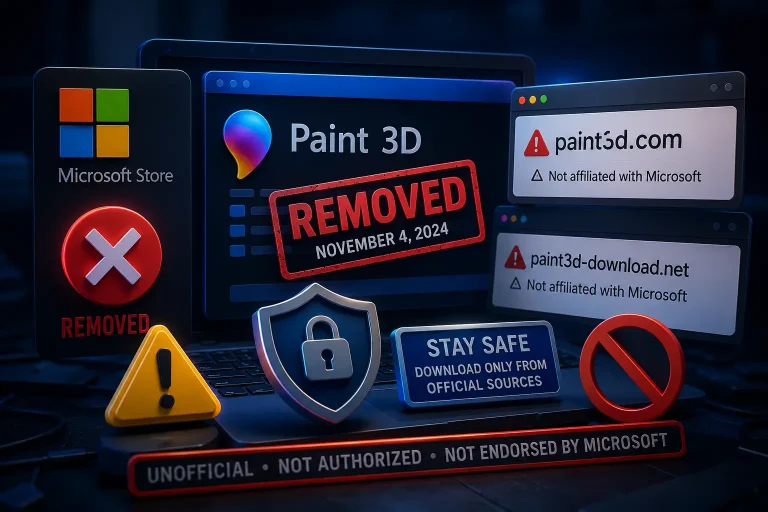
No, there is no official Paint 3D online version. Be cautious of websites claiming to provide a browser version of Paint 3D for download or direct use. These are not official sources.
To stay safe, always use trusted browser-based tools like Tinkercad or SketchUp Free.
Paint 3D Online 2026 tutorial
Conclusion
Although Paint 3D online does not exist, modern browser-based 3D design tools offer powerful and free alternatives. Whether you are a beginner creating simple models, a student learning 3D printing, a designer building web graphics, or an artist sculpting creative objects, there is an online tool that fits your needs.
Tinkercad is the best overall replacement for beginners. Vectary is ideal for professional graphics. SculptGL is perfect for artistic modeling. Photopea works best for image editing, and SketchUp Free is excellent for architecture.
With no downloads required and full cloud access, browser-based 3D tools provide flexibility and convenience that make them a smart choice in 2026.
Frequently Asked Questions