Paint 3D was introduced by Microsoft as a modern replacement for the classic Paint app, bringing simple 3D modeling tools to everyday users. For a while, it gained attention because it came pre-installed with Windows 10 and allowed users to create and edit both 2D and 3D content easily.
However, over the years, many users started asking questions like “Is Paint 3D still available in 2026?”, “Is Paint 3D discontinued?”, and “Does Paint 3D work on Windows 11?”. These questions have become more common as the software stopped receiving major updates.
In this complete guide, you will find clear answers about Paint 3D’s current status, availability, and whether you should still use it in 2026. See also paint 3d.
Is Paint 3D Still Available in 2026?
Yes, Paint 3D is still available in 2026, but with some important limitations. The application has not been fully discontinued, but it is no longer actively promoted or developed. This means you can still download and use Paint 3D, but it may not receive new features or improvements.
Many newer Windows systems do not include Paint 3D by default. Instead, users may need to download it manually from the Microsoft Store. Despite this, the app continues to function normally for basic tasks such as drawing, editing images, and simple 3D modeling.
Is Paint 3D Discontinued or Deprecated?
Paint 3D is not officially discontinued, but it is widely considered “deprecated.” This means that while the app still exists, it is no longer a priority for Microsoft.
There are several reasons behind this shift. First, user adoption was lower than expected. Many people preferred traditional tools or more advanced software. Second, the features in Paint 3D were quite limited compared to professional tools available in the market.
Because of this, Microsoft gradually reduced its focus on Paint 3D. It removed some integrations, such as the built-in 3D model library, and stopped adding major updates.
Is Paint 3D Available on Windows 11?
Paint 3D can still run on Windows 11, but it is not always pre-installed. Some users upgrading from Windows 10 may still have it, while new installations might not include it.
If you want to use Paint 3D on Windows 11, you can download it manually from the Microsoft Store. Once installed, it works just like it did on Windows 10.
However, Microsoft is focusing more on improving the classic Paint app and other creative tools, which is why Paint 3D is slowly becoming less visible in the Windows ecosystem.
Why Did Paint 3D Lose Popularity?
Paint 3D had a strong start, but several factors contributed to its decline. One of the main reasons was its limited functionality. While it introduced 3D tools, they were too basic for serious creators.
Another reason was strong competition from other software. Tools like Blender offered far more advanced features for free, making Paint 3D less appealing to users interested in 3D design.
Additionally, many users found the interface confusing. It tried to combine 2D and 3D editing in a simple way, but this approach did not always work well in practice.
Can You Still Download Paint 3D?
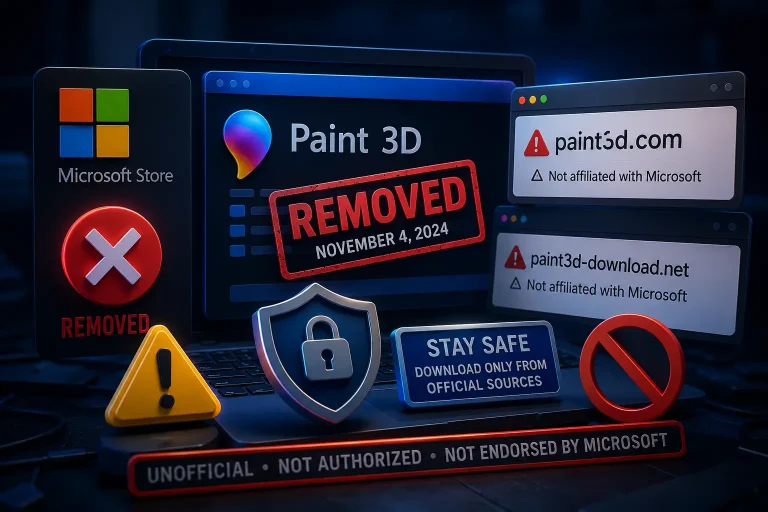
Yes, you can still download Paint 3D from official sources. The safest way is through the Microsoft Store. Avoid downloading the app from third-party websites, as they may include unsafe or modified versions.
Once installed, Paint 3D works without any subscription or payment. It remains a free tool, which is one of its biggest advantages even today.
Is Paint 3D Safe to Use?
Paint 3D is safe if you download it from official sources like Microsoft. It does not contain malware, and it runs like any standard Windows application.
However, since the app is no longer actively updated, it may not receive future security improvements. This is something to consider if you plan to use it long-term.
Should You Still Use Paint 3D in 2026?
Whether you should use Paint 3D depends on your needs. If you are a beginner looking for a simple tool to experiment with basic 3D shapes or quick image edits, Paint 3D can still be useful.
However, if you want advanced features such as detailed modeling, animation, or professional design tools, you will likely need to switch to more powerful software.
What Are the Best Alternatives?
Many users are moving to modern tools that offer better performance and more features. Software like Blender provides full 3D capabilities, while other tools focus on digital painting and editing.
These alternatives are not only more powerful but also actively maintained, making them a better long-term choice.
Final Verdict
is Paint 3D still available in 2026, but it is slowly fading away. While it remains a free and simple tool for beginners, it no longer competes with modern creative software.
If you only need basic features, you can continue using it. But for serious work, switching to a more advanced tool is the better option.