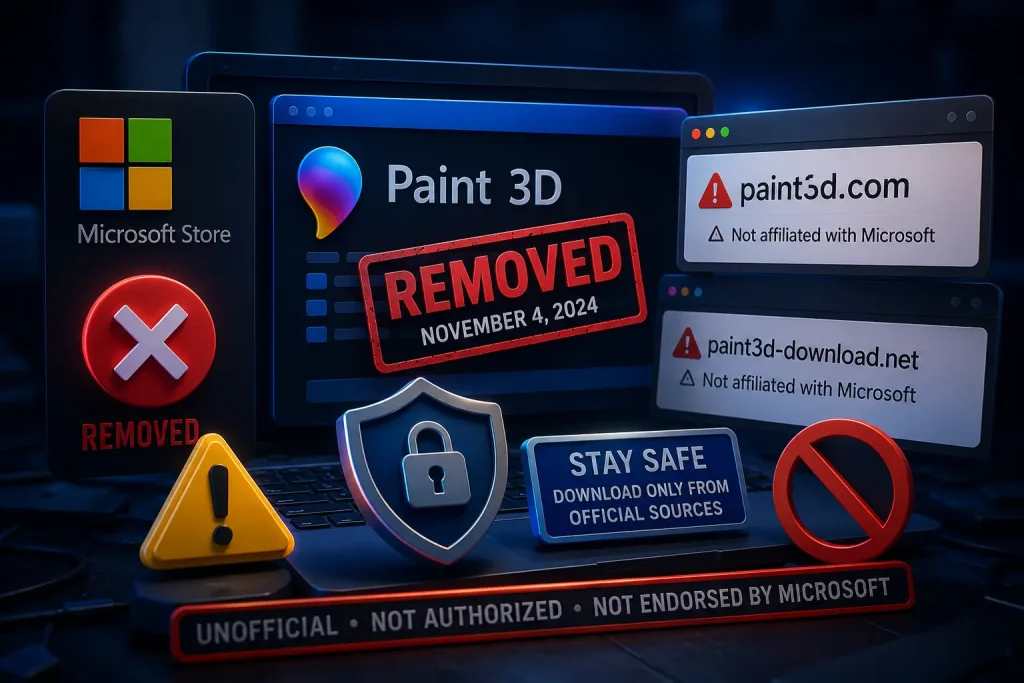
With Paint 3D officially removed from the Microsoft Store in November 2024, many users have turned to search engines looking for alternative download sources. This has led to a wave of third-party websites, often with names like paint3d.com or similar variations, claiming to offer official or safe downloads of the application. Before you click download on any of these sites, you should understand exactly what they are, whether any of them are legitimate, and what risks they carry. This article gives you the full picture.
Is Paint 3D Legit? or Any Similar Site Official?
No. There is no third-party website that is officially affiliated with or authorized by Microsoft to distribute Paint 3D. The only legitimate source for Paint 3D was the Microsoft Store, accessible through the official Microsoft website at microsoft.com or directly through the Microsoft Store application on Windows.
Microsoft has not partnered with, licensed, or endorsed any external website to distribute Paint 3D. Any website using a name that implies an association with Paint 3D, such as paint3d.com, mspaint3d.net, or any variation thereof, is operating independently and without Microsoft’s authorization. This alone should be a significant red flag for any user considering downloading from such a site.
Why Are These Sites Appearing Now?
The timing of these sites’ appearance is directly related to Paint 3D’s removal from the Microsoft Store. When a popular piece of software gets discontinued, it creates a demand vacuum. Users who want the software can no longer get it from the official source, so they search for alternatives.
Malicious actors and opportunistic website operators are well aware of this pattern. They capitalize on it by creating sites that rank highly in search results using the software’s name, creating an appearance of legitimacy, and then either distributing genuine software with malware bundled in or directing users to click through a series of ads and download prompts designed to generate revenue or install unwanted programs.
Even some sites with good intentions may be distributing files that cannot be verified as safe, unmodified, or free of issues. Without Microsoft’s official distribution infrastructure and signing certificates, there is simply no reliable way for an end user to confirm the authenticity of a Paint 3D installer from a third-party site.
Warning Signs of an Illegitimate Paint 3D Download Site
Knowing what to look for can help you avoid unsafe sites. Several red flags are commonly associated with illegitimate software download sites.
First, check the URL carefully. Legitimate Microsoft products are always distributed from domains owned by Microsoft, such as microsoft.com, apps.microsoft.com, or store.microsoft.com. A site with a URL like paint3d.com, paint-3d-download.net, or getpaint3d.org is not a Microsoft property.
Second, look at the download flow. Legitimate software downloads are typically straightforward. If a site takes you through multiple click-throughs, shows excessive advertising, asks you to complete surveys, or tries to install a download manager before letting you get the actual file, these are warning signs.
Third, check for publisher verification. Legitimate Windows applications are signed with digital certificates that Windows can verify. If Windows SmartScreen blocks an installer from one of these sites, that is a strong indication that the file cannot be trusted.
Fourth, look for user reviews and coverage from reputable tech journalism outlets. If a site claims to legitimately distribute Paint 3D but has no coverage from known tech publications and no verifiable user community, be skeptical.
What Are the Real Risks of Downloading from These Sites?
The risks of downloading Paint 3D or any software from unverified third-party sites are genuine and serious. These include malware infection, which can range from minor adware that displays unwanted advertisements to serious ransomware that encrypts your files and demands payment.
Keyloggers are another risk. These are programs that run invisibly in the background and record your keystrokes, potentially capturing passwords, credit card numbers, and personal information. Spyware can monitor your browsing habits and collect data without your knowledge.
Even if the primary Paint 3D file is genuine, a bundled secondary installer might install unwanted browser extensions, change your default search engine, or add programs to your startup sequence that are difficult to remove.
Beyond malware, there is also the question of privacy. Some of these sites may require you to create an account or provide an email address to access the download, exposing your information to unknown parties.
How to Find Legitimate Alternatives to Paint 3D
The safest way to address the gap left by Paint 3D is to use software that is available from verified, reputable sources. All of the following alternatives are available through legitimate, safe distribution channels.
Microsoft’s updated Paint application is built into Windows and does not require any download. Access it through the Start menu on any Windows 10 or Windows 11 system. It now includes layers, background removal, and AI image generation features.
Krita is available from krita.org, the official website of the Krita Foundation. It is open-source software and is completely free. The download is signed and verified.
GIMP is available from gimp.org and is one of the most trusted free image editing applications in the world. It has been in development for decades and is used by millions.
Blender is available from blender.org and is the gold standard for free 3D creation software. Downloads are signed and verified through their official site.
Tinkercad does not require any download at all. It runs entirely in your web browser and is accessible at tinkercad.com, which is operated by Autodesk, a major professional software company.
What to Do if You Already Downloaded from One of These Sites
If you have already downloaded a Paint 3D file from an unofficial source and installed it, there are steps you should take. Run a full system scan using a current, reputable antivirus program such as Windows Defender, which is built into Windows and regularly updated. If your antivirus detects anything, follow its recommended remediation steps.
Consider uninstalling the application through Windows Settings if you have any doubt about its safety. Check your installed programs list for anything unfamiliar that may have been installed alongside the Paint 3D file. Review your browser extensions for any additions you did not intentionally install.
Change any passwords you use regularly, particularly if you entered them on the same device after the installation, to be safe.
Conclusion
No third-party Paint 3D download site is official, authorized, or endorsed by Microsoft. The only legitimate source for Paint 3D was the Microsoft Store, and that listing was permanently removed on November 4, 2024. Sites using names like paint3d.com or similar are not affiliated with Microsoft and should be treated with extreme caution. For safe, reliable creative tools, stick to officially distributed software from reputable developers and avoid any site promising a Paint 3D download in 2024 or beyond.
Frequently Asked Questions