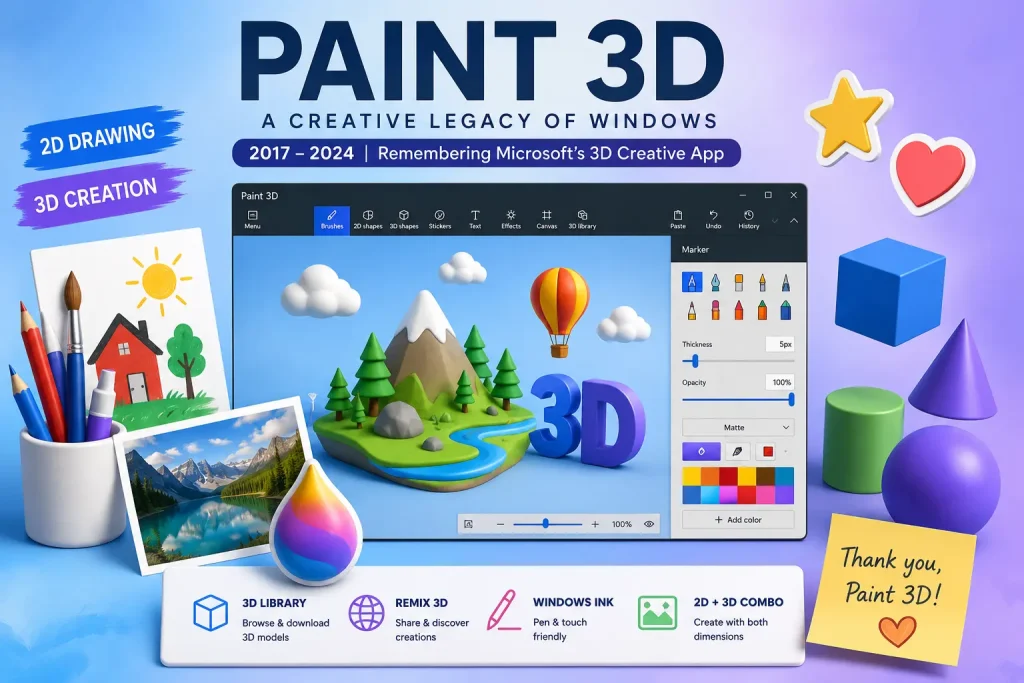
Paint 3D was a creative application developed by Microsoft that allowed users to create, edit, and share both 2D images and 3D models. It was included with Windows 10 and available on the Microsoft Store from 2017 until its discontinuation in November 2024. If you are hearing about Paint 3D for the first time, or if you want to understand what the application was and what it offered before it was removed, this article provides a complete overview.
What Was Paint 3D?
Paint 3D was a free creative application developed and published by Microsoft. It served as a spiritual successor to the classic Microsoft Paint application, adding 3D modeling and editing capabilities on top of traditional 2D drawing and image editing tools.
The application was designed for general Windows users rather than professionals. Its interface was intentionally approachable and simplified, making it possible for someone with no prior 3D design experience to create basic 3D objects and scenes. The goal was to bring 3D content creation into the mainstream consumer computing experience.
Paint 3D was built using Microsoft’s Universal Windows Platform framework and was distributed exclusively through the Microsoft Store. It was available for free, with no paid tiers or premium features.
When Was Paint 3D Released and By Whom?
Paint 3D was developed by Microsoft and released in April 2017 as part of the Windows 10 Creators Update. The Creators Update was a major feature update to Windows 10 that Microsoft positioned around creative tools, 3D technology, and mixed reality. Paint 3D was one of the flagship announcements of that update.
Microsoft unveiled Paint 3D at an event in October 2016, giving the public and press several months to anticipate its arrival. At launch, it was presented alongside other new creative features including the 3D object library, the Remix 3D sharing platform, and improvements to Windows Ink for pen and stylus input.
What Could You Do with Paint 3D?
Paint 3D offered a range of features spanning both 2D and 3D creative work.
In the 2D realm, Paint 3D included all the classic tools you would expect from a drawing application: brushes, pencils, fill tools, shape tools, and a text insertion tool. Users could open, edit, and save standard image formats including PNG, JPEG, BMP, GIF, and TIFF. The app supported transparency in PNG files and provided basic photo editing capabilities like cropping and resizing.
In the 3D realm, Paint 3D allowed users to select from a library of preset 3D shapes, customize their appearance with textures and colors, and combine them to create simple 3D scenes. Users could also import 3D models in the FBX and OBJ formats and view them from any angle. A doodle tool allowed users to draw shapes on a 2D canvas and convert them into 3D forms with a single click.
The app also supported mixed media creation, allowing users to combine 2D drawings and photos with 3D objects in a single canvas. Stickers and 2D illustrations could be applied directly to the surfaces of 3D objects, creating combined compositions.
Finally, Paint 3D integrated with the Remix 3D online community platform, which allowed users to browse and download 3D creations from other users and share their own work publicly. This social dimension distinguished Paint 3D from other simple creative tools, though Remix 3D was shut down in 2021.
What Made Paint 3D Different from Regular MS Paint?
The most obvious difference was the addition of 3D capabilities. Classic MS Paint was a 2D-only application with no ability to create or manipulate three-dimensional content. Paint 3D introduced an entirely new dimension, literally, by allowing users to create and edit 3D objects.
Paint 3D also had a more modern interface design compared to the classic Paint. It used a ribbon-style layout with a focus on touch and pen input, reflecting Microsoft’s investment in Windows Ink technology and touch-compatible devices like the Surface line.
The integration with Remix 3D was another differentiator. Classic Paint had no online community or sharing features. Paint 3D was designed from the start to be a social creative tool where users could discover and share content.
However, classic Paint had something Paint 3D never fully achieved: widespread user love. The simplicity and familiarity of classic Paint gave it a devoted following that Paint 3D’s more complex interface never managed to replicate at the same scale.
Is Paint 3D Still Available?
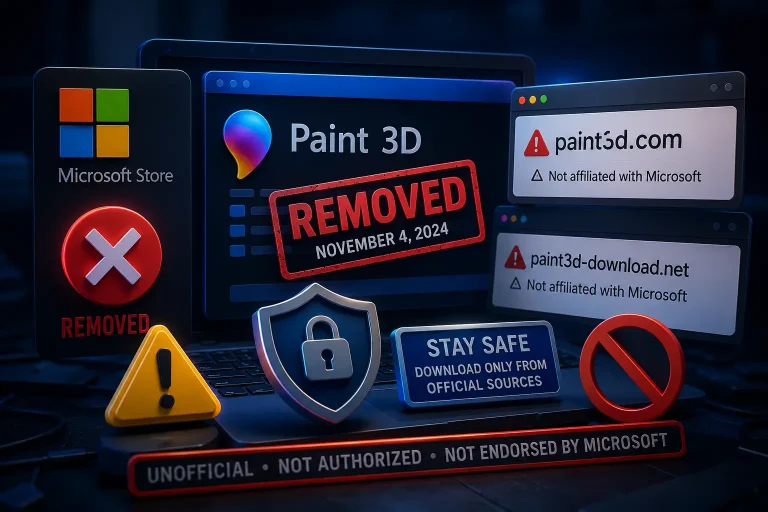
No. Microsoft officially deprecated Paint 3D in August 2024 and permanently removed it from the Microsoft Store on November 4, 2024. Existing installations on Windows PCs continue to function, but the app can no longer be downloaded through any official Microsoft channel.
Microsoft stopped providing updates, bug fixes, and security patches for Paint 3D as part of the deprecation. The app is frozen at its final version and will not evolve further. Over time, its compatibility with newer Windows updates may also degrade.
For users who want to explore what Paint 3D looked like or how it worked, documentation and tutorial videos from its active years are still available online, giving a sense of what the app offered even though the application itself is no longer accessible.
What Are the Best Replacements for Paint 3D?
Microsoft and the broader software community offer excellent alternatives that collectively cover everything Paint 3D used to do.
For 2D drawing and image editing, the updated Microsoft Paint (built into Windows 10 and 11) is the most seamless replacement. It now includes layers, background removal, and AI image generation through the Cocreator feature. Krita provides professional-grade digital painting tools for free. GIMP offers advanced photo manipulation capabilities at no cost.
For 3D modeling and creation, Blender is the industry’s leading free tool. Despite a steeper learning curve than Paint 3D, it is vastly more capable and is used by professionals around the world. For beginners who want simple 3D creation without a learning curve, Tinkercad from Autodesk is accessible in any web browser with no installation required.
For viewing 3D models and files, Microsoft’s 3D Viewer remains available on the Microsoft Store as of 2025. The Babylon.js Sandbox provides browser-based 3D file viewing without installation.
Conclusion
Paint 3D was a pioneering attempt by Microsoft to bring 3D content creation to everyday Windows users. Launched in 2017 as part of the ambitious Windows 10 Creators Update, it offered a unique blend of 2D drawing and 3D modeling tools in a free, accessible package. Despite seven years of availability, it never achieved the broad adoption Microsoft had hoped for. Following its deprecation in August 2024 and removal from the Microsoft Store in November 2024, Paint 3D has become a piece of Windows history. The creative tools landscape has moved on, offering users tools that are both more capable and better supported than Paint 3D ever was.
Frequently Asked Questions